5 Best AI Website Builders To Build A Website Without Coding

Building a website used to mean learning WordPress, figuring out hosting, choosing a theme, installing plugins, and probably spending way too much time fighting with things that had nothing to do with your actual website.
AI is changing that.
Today, you can describe the website you want in plain English and have an AI tool generate the pages, layout, copy, functionality, and even parts of the backend for you.
I've tested and experimented with several of these tools, and the results can be surprisingly good.
The catch is that not every AI website builder is designed for the same person.
Some are better for polished business websites. Others are better for web apps and more complicated projects. And some are really AI coding assistants that can build websites if you know how to give them the right instructions.
Here are my picks for the best AI website builders right now.
1. Lovable
Lovable is one of my favorite options if you want to go from an idea to a real, functional website quickly.
The basic concept is simple: tell Lovable what you want, and it builds it.
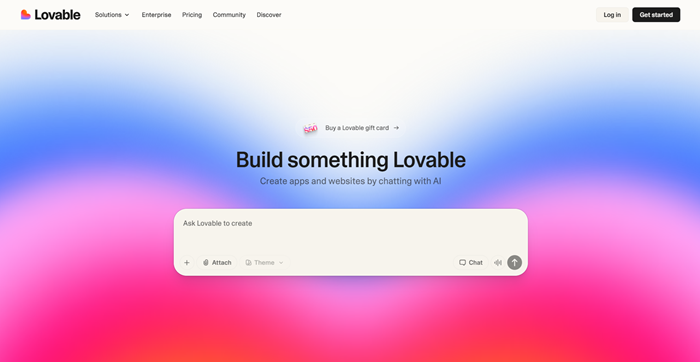
You can describe the pages, design, functionality, target audience, integrations, and other requirements in a prompt. Lovable then creates the website and lets you continue making changes through the chat.
It's not limited to basic landing pages, either. Lovable can build full websites with forms, authentication, databases, payments, and other integrations. You can also connect your own domain and publish the finished project.
I actually made a side hustle directory called Hustle Buddy with Lovable. The whole thing took about 120 prompts and was a ton of fun to build over the course of a weekend.
One thing I really like is that you don't have to start from scratch every time you want to make a change. You can say something like:
“Make the homepage more modern and use larger images.”
Or:
“Add a pricing page with three plans and a comparison table.”
Lovable will make the changes for you. You can also upload screenshots, Figma files, or other references to give it a better idea of what you're trying to create.
Best for: Entrepreneurs, startups, marketers, and anyone who wants to build a polished website or web app without traditional coding.
My take: Lovable is probably the best all-around choice if you want AI to handle both the design and the technical side of building a website.
Get started with Lovable today!
2. Julius AI
Julius AI is a little different from most of the tools on this list.
Julius started out as an AI tool for data analysis, research, presentations, and other knowledge-work tasks. It has since expanded into website and web app creation.
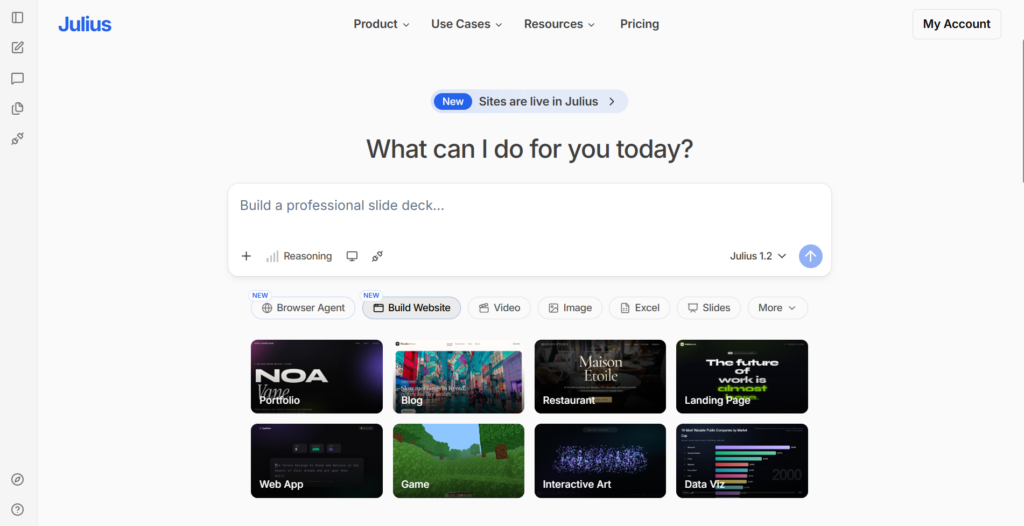
And it's incredibly easy to use. You basically describe what you want to build, and Julius creates the website inside the conversation.
You can then keep prompting it to make changes. For example, you could ask Julius to:
- Change the color scheme
- Rewrite the website copy
- Add new pages
- Add animations
- Rearrange sections
- Create a blog
- Build an interactive tool
- Add charts or visualizations
- Make the website mobile-friendly
Julius can create everything from landing pages and business websites to portfolios, blogs, ecommerce sites, and interactive web apps.
Recently, I tested out Julius and used it to make a freelance portfolio website. It can also make some pretty stellar ecommerce landing pages. And again, all this takes is some basic prompting and playing around with the platform.
One of the coolest things about Julius is that it isn't just generating a static image of what your website could look like. It can create working websites and interactive experiences.
You can also publish the finished website and get a shareable link without needing to set up traditional hosting yourself. Overall, it's one of the most beginner-friendly AI website builders around in my opinion.
Best for: Beginners, creators, entrepreneurs, and people who want to experiment with websites and interactive tools without learning to code.
My take: Julius is one of the easiest tools I've found for turning an idea into a working website. It's particularly interesting if you want to build something more interactive than a standard business website.
3. Emergent
Emergent takes the “tell AI what you want and let it build it” approach even further.
You describe your website or app in plain English, and Emergent generates it for you. The platform is designed to create full-stack applications, meaning it isn't just concerned with making a pretty front end.
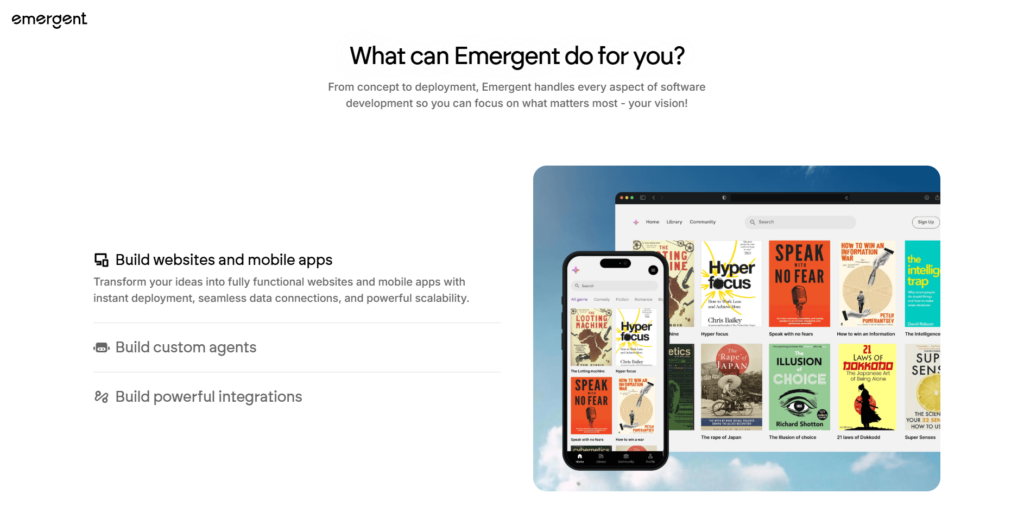
You can ask it to create pages, forms, tables, filters, charts, and other functionality as part of the same project. Emergent can also work with spreadsheets and datasets to create interactive dashboards.
This makes Emergent especially interesting if your idea is more complicated than:
“Build me a website for my plumbing business.”
For example, you could ask it to create an internal dashboard for a business, a calculator, a customer portal, or an interactive web application.
That's where these AI website builders start becoming much more interesting. You're not simply replacing a WordPress theme. You're essentially describing software and letting AI build the first version for you.
Best for: More advanced websites, web apps, dashboards, internal tools, and people who want AI to handle a larger portion of the technical work.
My take: Emergent is worth trying if you have an actual product idea rather than just needing a five-page website.
4. Durable
Durable is aimed more toward the traditional small-business website market.
This is the kind of tool I'd look at if you run a local business and simply need a professional website without spending weeks putting one together.
I tested out Durable to see how it compared versus other AI website builders. And the selling point here is that it's trying to offer an end-to-end solution for business owners…It builds your website but also helps you handle marketing, invoicing, and admin on the backend.
Instead of starting with a blank canvas, AI can help generate the basic website structure and content for you. That makes Durable particularly appealing to people who don't really want to become “website people.”
You might be a plumber, photographer, cleaner, consultant, landscaper, contractor, or freelancer.
You don't necessarily care about learning HTML or picking the perfect WordPress theme. You just want a website. That's where an AI website builder makes a lot of sense.
Give it some basic information about your business and what you offer, and you can use the generated website as your starting point rather than staring at a blank screen.
Best for: Small businesses, freelancers, local businesses, and beginners who want to get a conventional business website online quickly.
My take: Durable makes the most sense when your goal is simply to get a professional-looking business website online without turning website creation into another hobby.
5. Claude
Claude isn't technically a traditional website builder like Lovable or Durable. But I'd still include it on this list because Claude can create websites and interactive web experiences through its Artifacts and coding capabilities.
Anthropic introduced Artifacts as a way to let Claude create things like code, documents, graphics, and website designs in a dedicated workspace where you can see and interact with the output.
This makes Claude particularly interesting if you want more control over what you're building. Especially if you add Claude Code into the mix and really get going!
You can ask Claude to create a website, inspect the result, request changes, and continue iterating.
And if you're willing to get a little more technical, Claude can go much further than a traditional no-code website builder.
You can use it to generate HTML, CSS, JavaScript, React components, and other code that powers websites and web applications.
Claude Design also gives users another way to create visual prototypes and interactive experiences from natural-language instructions, with options to refine designs and export standalone HTML.
The downside?
Claude isn't as beginner-focused as a dedicated website builder.
You may need to be more specific about what you want, and you'll have more responsibility for figuring out how the final website gets hosted and maintained.
Best for: People who want more control, developers, creators who are comfortable experimenting, and anyone who wants AI to help build custom websites rather than relying on a fixed website-builder workflow.
My take: Claude is one of the most flexible options here, but I'd choose Lovable or Julius if your main priority is making the entire process as easy as possible.
Honorable Mentions For Top AI Website Builders
There are plenty of other AI website builders worth checking out:
- Wix AI — A good option if you want AI generation combined with a traditional website-builder ecosystem.
- Framer AI — Excellent for visually impressive websites and landing pages.
- Hostinger Website Builder — A beginner-friendly option that combines AI website creation with hosting.
- 10Web — Worth considering if you're specifically interested in AI-powered WordPress websites.
- Replit — Great for people who want AI to help them build more technical websites and applications.
How Do AI Website Builders Work?
AI website builders are basically using large language models to turn your instructions into websites.
Instead of clicking through dozens of menus, you describe what you want.
For example:
“Build a modern website for a Toronto coffee shop. Use a minimalist design, include our menu, location, opening hours, an about page, and a contact form. Make the colors warm and earthy.”
The AI takes that description and generates the website.
Behind the scenes, that can involve generating HTML, CSS, JavaScript, React components, database structures, copy, images, and other pieces required to make the website work.
The really impressive part is that you can then continue the conversation. You don't have to completely rebuild the website because you don't like the first version.
You can say:
“Make the homepage less cluttered.”
Or:
“Change the font and make the call-to-action button stand out more.”
Or:
“Add a page where customers can book appointments.”
The AI can then modify the project.
This makes website creation feel much more like having a conversation with a developer and designer than using traditional website-building software.
Of course, AI isn't magic. The quality of your first website depends heavily on how clearly you explain what you want. And you should always test the finished website yourself.
AI can generate broken links, inaccurate information, awkward copy, bugs, or designs that look great on a desktop but terrible on a phone.
So think of AI as a very fast first draft rather than a replacement for quality control.
Tips For Using AI Website Builders
1. Be specific with your first prompt
Don't just say:
“Build me a website.”
Give the AI as much useful context as possible.
Tell it what the business does, who the website is for, what pages you need, what style you want, what colors you like, and what the visitor should do.
The better the brief, the better your starting point will usually be.
2. Build the website in stages
Don't try to cram 50 different requests into one prompt.
Start with the basic website.
Then improve the homepage.
Then add additional pages.
Then add functionality.
Then polish the design.
This makes it much easier to identify problems and avoid accidentally breaking something that was already working.
3. Give AI examples
If you want your website to have a particular look, show the AI what you mean.
You can often provide screenshots, existing websites, documents, or other references depending on the platform.
For example, Lovable supports inputs such as screenshots, Figma files, and Notion documents.
“Make it modern” is vague.
“Make it look similar to this screenshot, but use our brand colors and a simpler navigation bar” is much better.
4. Don't forget mobile
This is a big one.
Always ask the AI to make the website responsive, but don't stop there.
Actually open the website on your phone and test it.
Check the navigation, buttons, images, text size, forms, and anything interactive.
A website that looks amazing on your laptop can still be a mess on a phone.
5. Test everything
Click every button.
Test every form.
Check every link.
Try the website in multiple browsers.
If you've added payments, logins, bookings, or anything else important, test those features carefully.
AI can build things incredibly quickly, but that also means it's possible to create a lot of mistakes incredibly quickly.
6. Don't blindly trust AI-generated copy
AI can write decent website copy, but it can also produce generic marketing fluff.
You don't want every website saying things like:
“Welcome to the future of innovation.”
Be specific.
Tell the AI about your actual business, customers, products, experience, and personality.
Then edit the copy yourself.
7. Think about what happens after launch
Building the website is only the first step.
You also need to think about your domain, hosting, analytics, SEO, security, backups, forms, email, and ongoing updates.
This is one reason I like platforms that handle more of the infrastructure for you.
The easier it is to actually publish and maintain your website, the more useful the AI builder becomes.
Final Thoughts
AI website builders have come a long way.
A few years ago, AI could help you write some website code.
Now you can describe an entire project and have AI build a surprisingly functional first version in minutes.
For most people, I'd start with Lovable or Julius.
Lovable is particularly impressive if you want to build a polished website or full-stack product, while Julius is incredibly approachable if you want to create websites and interactive tools directly through a conversational interface.
If you're building something more complex, Emergent is worth exploring.
If you just need a straightforward small-business website, Durable is a simpler option.
And if you want maximum flexibility and don't mind getting a little more technical, Claude is extremely powerful.
The biggest advantage of all of these tools is the same: You no longer need to know how to code before you can start building.
You just need an idea, a good prompt, and enough patience to keep improving what the AI creates.